First Lab
The content of this Malware Analysis pages is my understanding and notes based on the course Introduction to Malware Analysis by Prof. Ahmed Lekssays.
Find the Lab details here.
The Controlled Environment
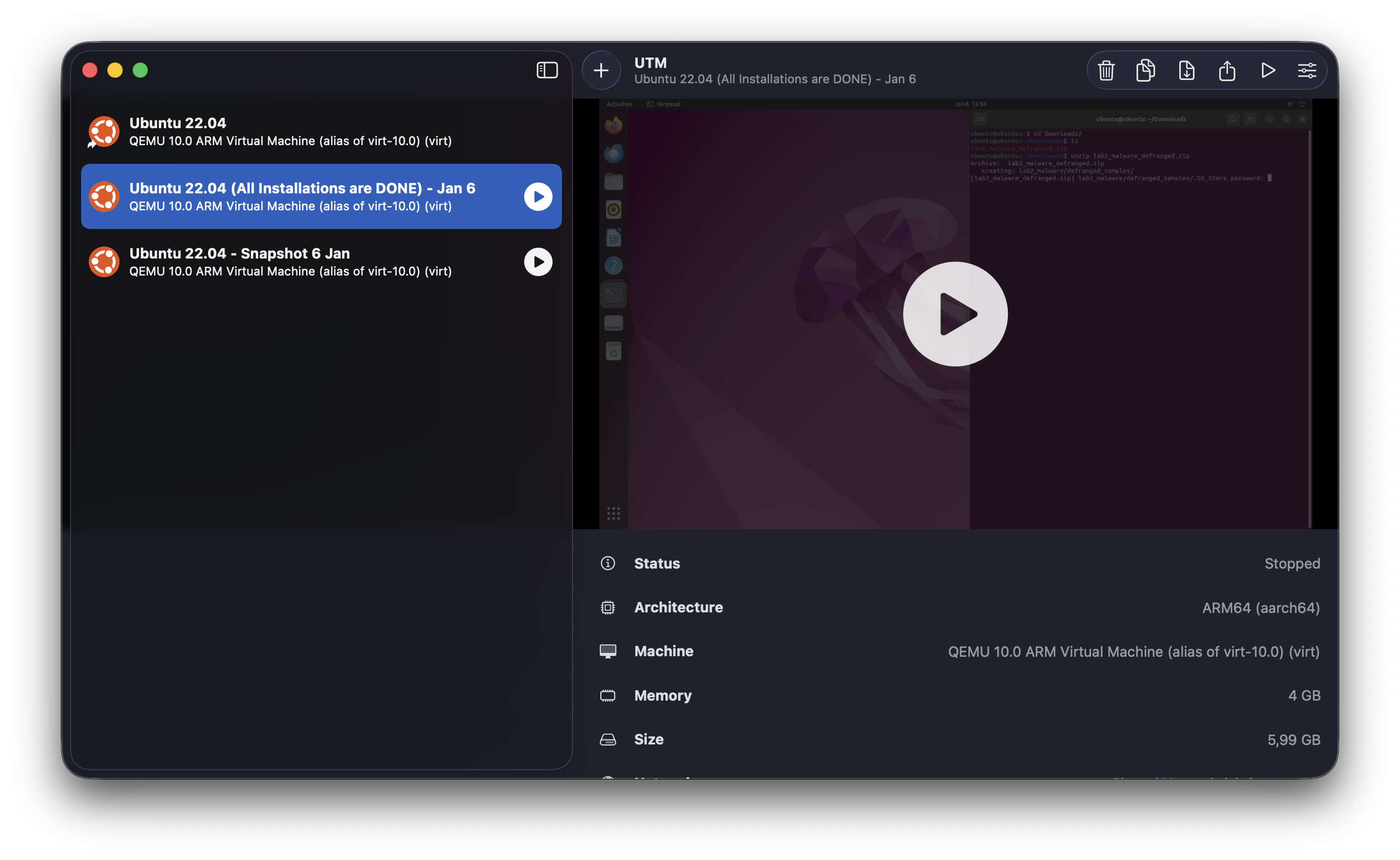
For me I'm working on a Mac (M1 max chip), I will be using UTM to create a virtual machine with Linux Ubuntu 22.04.
Package Installation
Now we do run the following installation commands:
sudo apt update && sudo apt install -y pev binutils binutils-common bsdmainutils xxd apktool build-essential python3-pip golang
pip3 install pefile
sudo snap install jadx
go install github.com/mandiant/GoReSym@latest
export PATH=$PATH:$(go env GOPATH)/bin
Then we check the version of all the tools to make sure they are installed correctly:
readpe --version
readelf --version
apktool --version
jadx --version
GoReSym --version
Downloading the Sample
According to the lab details, we will download the sample via this link https://limewire.com/d/Am8H3#T6VStLCz68.
After downloading and unzipping the sample, we will find the following files:
981907e3f5ed07062b33b3e992d1f3412a2f3352208e92c1b58ff3c2387d50ae.elf.defanged
cc93d01b68b59314a789c5355ac70b8e6965b9f64bb331b0337aac9d2da8aede.apk.defanged
d551a474ecf0b7d1ba6dda319e3b77fdecf39489eaf14b7d8837002f2d31387b.exe.defanged
ef1ef1954560b13d5c13e2142210d187bcfa9bb86690e0ff8d6de70bf5c8b4f7.elf.defanged
They are all .defanged files, so we will need to remove the defanging to make them executable. We do rename each of them as the following (to make it easier to identify them):
mv d551a474ecf0b7d1ba6dda319e3b77fdecf39489eaf14b7d8837002f2d31387b.exe.defanged PE-001.exe
mv cc93d01b68b59314a789c5355ac70b8e6965b9f64bb331b0337aac9d2da8aede.apk.defanged APK-001.apk
mv ef1ef1954560b13d5c13e2142210d187bcfa9bb86690e0ff8d6de70bf5c8b4f7.elf.defanged ELF-001.elf
mv 981907e3f5ed07062b33b3e992d1f3412a2f3352208e92c1b58ff3c2387d50ae.elf.defanged ELF-002.elf
CRITICAL SAFETY REQUIREMENTS:
- All analysis MUST be performed in isolated VMs with no network access
- Never execute samples on your host machine
- Use snapshots before analyzing each sample
- Verify file hashes before analysis
After we prepare the environment, we will create a snapshot of the virtual machine to make sure we can go back to it if needed. Then we remove the Network adapter from the current VM to make sure it has no network access.
1. Windows PE Analysis
1.1. PE Header Analysis
-
Document basic file properties (size, hashes, machine type, subsystem):
- Size:
ls -la PE-001.exe1307648bytes - Hashes:
sha256sum PE-001.exed551a474ecf0b7d1ba6dda319e3b77fdecf39489eaf14b7d8837002f2d31387b - Machine Type:
readpe -h coff PE-001.exe0x14c IMAGE_FILE_MACHINE_I386Intel 32bit x86 - Subsystem:
readpe -h optional PE-001.exe0x2 (IMAGE_SUBSYSTEM_WINDOWS_GUI)GUI Application
- Size:
-
Analyze the compilation timestamp and assess its validity:
readpe -h coff PE-001.exeDate/time stamp: 1500724435 (Sat, 22 Jul 2017 11:53:55 UTC)- The date is approximately 8 years old. It is valid, realistic date. It does not show obvious signs of "TimeStomping".
- Could it be forged? Yes. The timestamp is merely a 4-byte integer in the file header, which can be easily changed by any hex editor.
- If this malware was part of a recent attack, a 2017 timestampwould indicate Anti-Forensics. Attackers often "backdate" malware to match the creation dates of legitimate system files so that the malicious file blends in and doesn't appear at the top of a "recently created files" search during investigation.
-
Examine the Entry Point location:
- What section does the Entry Point RVA point to?
readpe -h optional PE-001.exe
Optional/Image header
 Magic number:                    0x10b (PE32)
 Linker major version:            48
 Linker minor version:            0
 Size of .text section:           0x13ea00
 Size of .data section:           0x800
 Size of .bss section:            0
 Entrypoint:                      0x1409aa
 Address of .text section:        0x2000
 Address of .data section:        0x142000
 ImageBase:                       0x400000
 Alignment of sections:           0x2000
 Alignment factor:                0x200
 Major version of required OS:    4
 Minor version of required OS:    0
 Major version of image:          0
 Minor version of image:          0
 Major version of subsystem:      6
 Minor version of subsystem:      0
 Size of image:                   0x146000
 Size of headers:                 0x200
 Checksum:                        0
 Subsystem required:              0x2 (IMAGE_SUBSYSTEM_WINDOWS_GUI)
 DLL characteristics:             0x8560
 DLL characteristics names
                                      UNKNOWN[0x20]
                                      IMAGE_DLLCHARACTERISTICS_DYNAMIC_BASE
                                      IMAGE_DLLCHARACTERISTICS_NX_COMPAT
                                      IMAGE_DLLCHARACTERISTICS_NO_SEH
                                      IMAGE_DLLCHARACTERISTICS_TERMINAL_SERVER_AWARE
 Size of stack to reserve:        0x100000
 Size of stack to commit:         0x1000
 Size of heap space to reserve:   0x100000
 Size of heap space to commit:    0x1000
The Entrypoint is
0x1409aa. The.textsection starts at Virual Address0x2000and has a Virtual Size of0x13ea00. The section ends at0x2000 + 0x13ea00 = 0x140a00. Sine0x1409aais within the.textsection, it does point to it.- Is this typical or suspecious? Highly Suspicious. While the entry point should typically be in the code section
.text, its specific position is abnormal. The Entry Point is located only 86 bytes from the very end of the section. Standard compilers usually place the entry point near the beginning of the section. An entry point at the extreme "tail" of the section is a classic indicator of a Packer Stub. This small piece of code runs first, unpacks the real malware into memory, and then jumps back to the start.
Packer Stub?
- The Start (Packed State):
- When the program opens, the memory is mostly filled with "compressed junk" (the packed malware data).
- The Entry Point points to the very end of the file, where the Stub (the tiny unzipping tool) lives.
- The Action (Unpacking):
- The CPU runs the Stub code.
- The Stub takes the "compressed junk," decompresses it, and writes the real code over the top of the junk (starting at the beginning of the memory block).
- The Jump (Execution):
- Now that the "real" malware code exists in memory (between the start and the stub), the Stub executes a
JMP(Jump) instruction. - It jumps to the Original Entry Point (OEP) at the beginning of the file.
- The real malware starts running.
- Now that the "real" malware code exists in memory (between the start and the stub), the Stub executes a
So, when we see an Entry Point at the end of the section, it’s the "instruction manual" waiting to build the malware before handing over control.
(check more about hexadecimal arithmetic here)
- What would it mean if the entry point was in
.dataor.rsrc? The.datasection is meant for read/write variables, not executable code. An entry point here suggests self-modifying code or a buffer overflow exploit attempting to run shellcode stored in a variable buffer. The.rsrcsection holds icons, menus, and strings. Executing code here is extremely malicious. It almost always indicates that the binary is packed or that malicious code has been injected into a space where security scanners might not look for it.
- What section does the Entry Point RVA point to?
-
Analyze ImageBase and DLL Characteristics:
- Is the ImageBase standard or unusual?
0x400000is the default preferred load address for 32-bit Windows executables. If it were a DLL (usually0x10000000) or a kernel driver, it would be different, but for an EXE, this is perfectly normal. - What security features are enabled (ASLR, DEP, etc.)? ASLR (Address Space Layout Randomization) is Enabled (
IMAGE_DLLCHARACTERISTICS_DYNAMIC_BASE). DEP (Data Execution Prevention) is Enabled (IMAGE_DLLCHARACTERISTICS_NX_COMPAT). SEH (Structured Exception Handling) is Disabled (IMAGE_DLLCHARACTERISTICS_NO_SEH). - What do these settings tell you about the binary?
- Modern Toolchain: The presence of ASLR and DEP indicates the malware was likely compiled with a relatively modern compiler (Visual Studio 2010 or newer), which enables these protections by default to make applications safer.
- Anti-Analysis (ASLR): With ASLR enabled, the OS will load the malware at a random memory address every time it runs (e.g., at 0x500000 instead of 0x400000). This makes your job harder because the memory addresses you see in a debugger will change every time you restart the VM.
- Custom Loader (NO_SEH): The NO_SEH flag is slightly unusual for a standard GUI application. It is often seen in packed malware or custom loaders that strip out exception handling tables to reduce file size or interfere with debuggers that rely on exceptions.
- Is the ImageBase standard or unusual?
1.2. Section Analysis & Packing Detection
readpe -S PE-001.exe
Sections
    Section
        Name:                            .text
        Virtual Size:                    0x13e9b0 (1305008 bytes)
        Virtual Address:                 0x2000
        Size Of Raw Data:                0x13ea00 (1305088 bytes)
        Pointer To Raw Data:             0x200
        Number Of Relocations:           0
        Characteristics:                 0x60000020
        Characteristic Names
                                             IMAGE_SCN_CNT_CODE
                                             IMAGE_SCN_MEM_EXECUTE
                                             IMAGE_SCN_MEM_READ
    Section
        Name:                            .rsrc
        Virtual Size:                    0x58c (1420 bytes)
        Virtual Address:                 0x142000
        Size Of Raw Data:                0x600 (1536 bytes)
        Pointer To Raw Data:             0x13ec00
        Number Of Relocations:           0
        Characteristics:                 0x40000040
        Characteristic Names
                                             IMAGE_SCN_CNT_INITIALIZED_DATA
                                             IMAGE_SCN_MEM_READ
    Section
        Name:                            .reloc
        Virtual Size:                    0xc (12 bytes)
        Virtual Address:                 0x144000
        Size Of Raw Data:                0x200 (512 bytes)
        Pointer To Raw Data:             0x13f200
        Number Of Relocations:           0
        Characteristics:                 0x42000040
        Characteristic Names
                                             IMAGE_SCN_CNT_INITIALIZED_DATA
                                             IMAGE_SCN_MEM_DISCARDABLE
                                             IMAGE_SCN_MEM_READ
We have the Sizes and Permissions, but we are missing the critical Entropy values. Since readpe didn't show this, we will use a quick Python script (using the pefile library) to calculate it exactly.
python3 -c 'import pefile; pe = pefile.PE("PE-001.exe"); print("\n[SECTION ENTROPY]"); [print(f"{s.Name.decode().strip(chr(0))}: {s.get_entropy():.4f}") for s in pe.sections]'
[SECTION ENTROPY]
.text: 7.9902
.rsrc: 4.0267
.reloc: 0.0815
| Section Name | Virtual Size | Raw Size | Permissions (Characteristics) | Entropy | Analysis |
|---|---|---|---|---|---|
| .text | 0x13e9b0 | 0x13ea00 | RX (Read, Execute) | 7.9902 | CRITICAL: Extremely high entropy indicates encrypted code. |
| .rsrc | 0x58c | 0x600 | R (Read, Initialized Data) | 4.0267 | Normal: Standard entropy for resources (strings, icons). |
| .reloc | 0xc | 0x200 | R (Read, Discardable) | 0.0815 | Normal: Very low entropy, likely contains padding/zeros. |
Section: .text (Entropy: 7.9902). This is the most critical finding. An entropy of ~8.0 indicates the section is completely random data, which effectively guarantees it is encrypted or compressed. Since .text is supposed to contain executable machine code (which usually has a pattern and entropy ~6.0), this proves the file is packed. The malware payload is hidden inside this encrypted block.
All sections have standard permissions:
.text: RX (Read/Execute).rsrc&.reloc: R (Read Only)
This is a "stealth" technique. Older packers often marked sections as RWX (Read/Write/Execute) so they could unpack themselves in place. By keeping standard permissions (RX), this malware avoids immediate detection by basic heuristics. It likely allocates new memory permissions at runtime (using VirtualProtect) to unpack itself, which is a more advanced evasion method.
The sizes are remarkably consistent:
.text: Virtual (0x13e9b0) Raw (0x13ea00).rsrc: Virtual (0x58c) Raw (0x600)
This suggests In-Place Encryption rather than "Compression-and-Expansion" (C&E) packing.
The section names (.text, .rsrc, .reloc) are standard for a Windows executable.
This is Camouflage. The malware author intentionally kept the standard names to look like a legitimate program (like Calculator or Notepad). If we saw names like UPX0, .code, or random characters, it would be an obvious sign of packing. Here, they are trying to blend in.
-
Is the binary likely packed?: YES, it is definitely packed. The primary evidence is the Entropy of 7.9902 in the
.textsection. Since the maximum possible entropy is 8.0, a value of ~7.99 indicates the data is statistically indistinguishable from random noise (encryption/compression). It is impossible for legitimate, compiled machine code to have this level of randomness. -
What specific indicators support your conclusion?
- The "Tail" Entry Point: The Entry Point (
0x1409aa) is located only 86 bytes from the end of the.textsection. This is a classic signature of a Packer Stub (a small decryption routine placed at the end of the file that runs first, decrypts the payload, and then jumps to the real code). - High Entropy Payload: The
.textsection constitutes almost the entire file size (~1.3 MB) and is fully encrypted (7.99 entropy). The malware author has hidden the real executable code inside this encrypted block to defeat antivirus scanners.
- The "Tail" Entry Point: The Entry Point (
-
If packed, can you identify the packer used? How? It is likely a Custom Packer or a modified version of a standard packer (like a "scrambled" UPX). Unlike standard UPX (which renames sections to
UPX0/UPX1), this sample uses standard names (.text,.rsrc) to camouflage itself. It uses standardRXpermissions instead of the tell-taleRWXoften seen in cheaper packers. To get the exact name (e.g., "ThetaProtect" or "VMProtect"), you would use signature-based tools like Detect It Easy (DIE) or YARA rules. Without those specific signatures matching, we classify it as "Generic/Custom High-Entropy Packer." -
What would be your next steps to analyze this binary further? Since Static Analysis is blocked by the encryption, the next steps must be Dynamic or Advanced Static:
- Dynamic Analysis (Sandboxing): Run the malware in a secure, instrumented VM to observe its behavior after it unpacks itself in memory.
- Manual Unpacking: Use a debugger (like x64dbg) to set a breakpoint on the Entry Point, step through the "stub" code, and wait for it to write the decrypted code to memory. Then, dump that memory to disk to get the "clean" malware file.